
The Upscale interface is built around five sections. The feature set is the same in the web version and the Telegram app.
Accounts
Your personal dashboard: an overview of your trading account and the entry point to the platform.
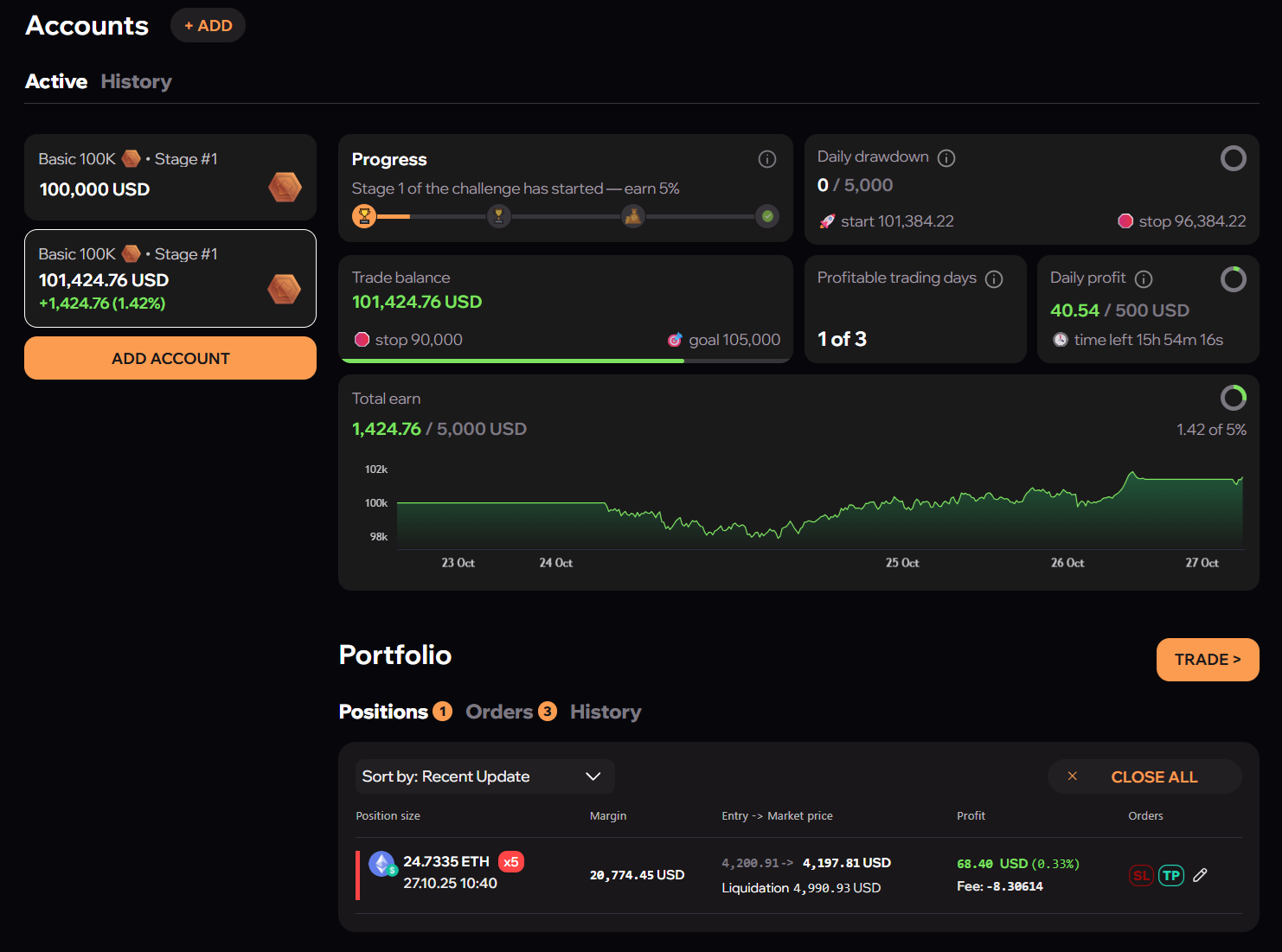
Available here:
- a list of active and completed accounts;
- progress on the current challenge — for example, the task of making 5%;
- the current trading balance, stop level and profit target;
- the combined result for the current stage;
- adding new accounts to take part in further challenges.
The interface language is switched in the same section: English, Russian, Spanish, Portuguese and Chinese are available.
Portfolio
Everything about your open positions and completed trades.
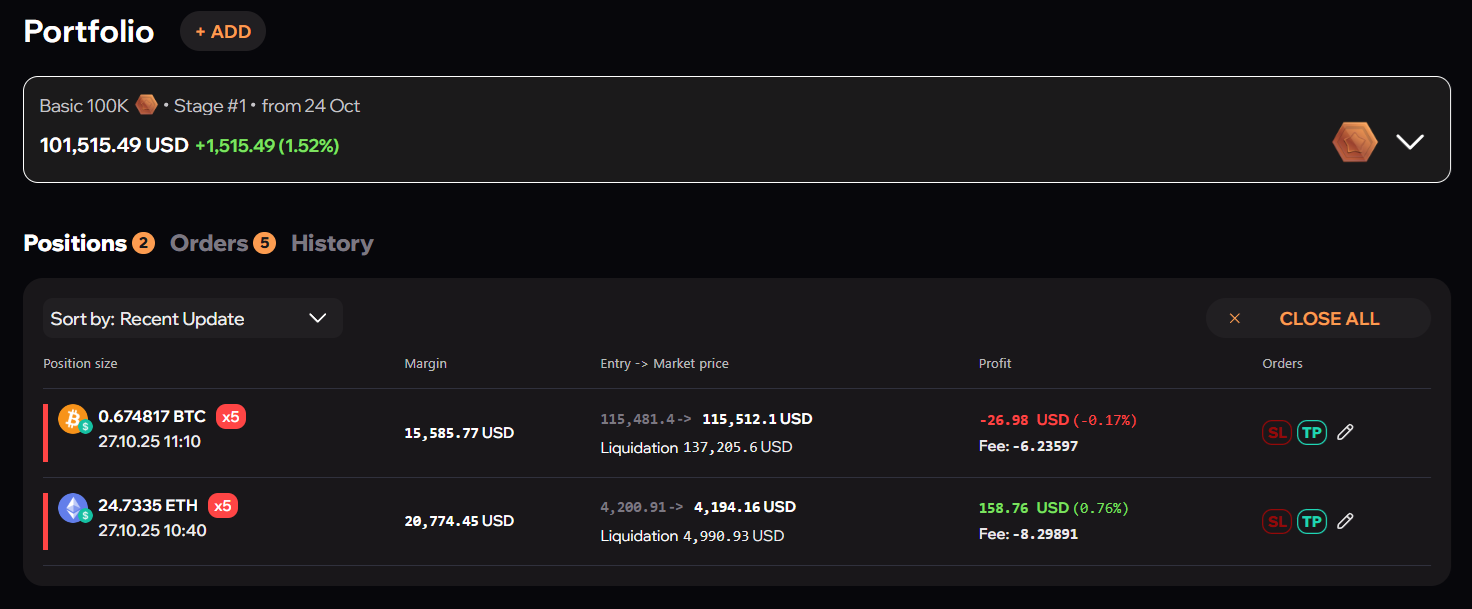
Available here:
- the total value of the portfolio and the change in balance;
- open positions in detail: instrument, size, entry price, PnL, margin and leverage;
- quick access to active orders and trade history;
- sorting positions by update date and other parameters.
Trading
Choosing instruments and following the market.
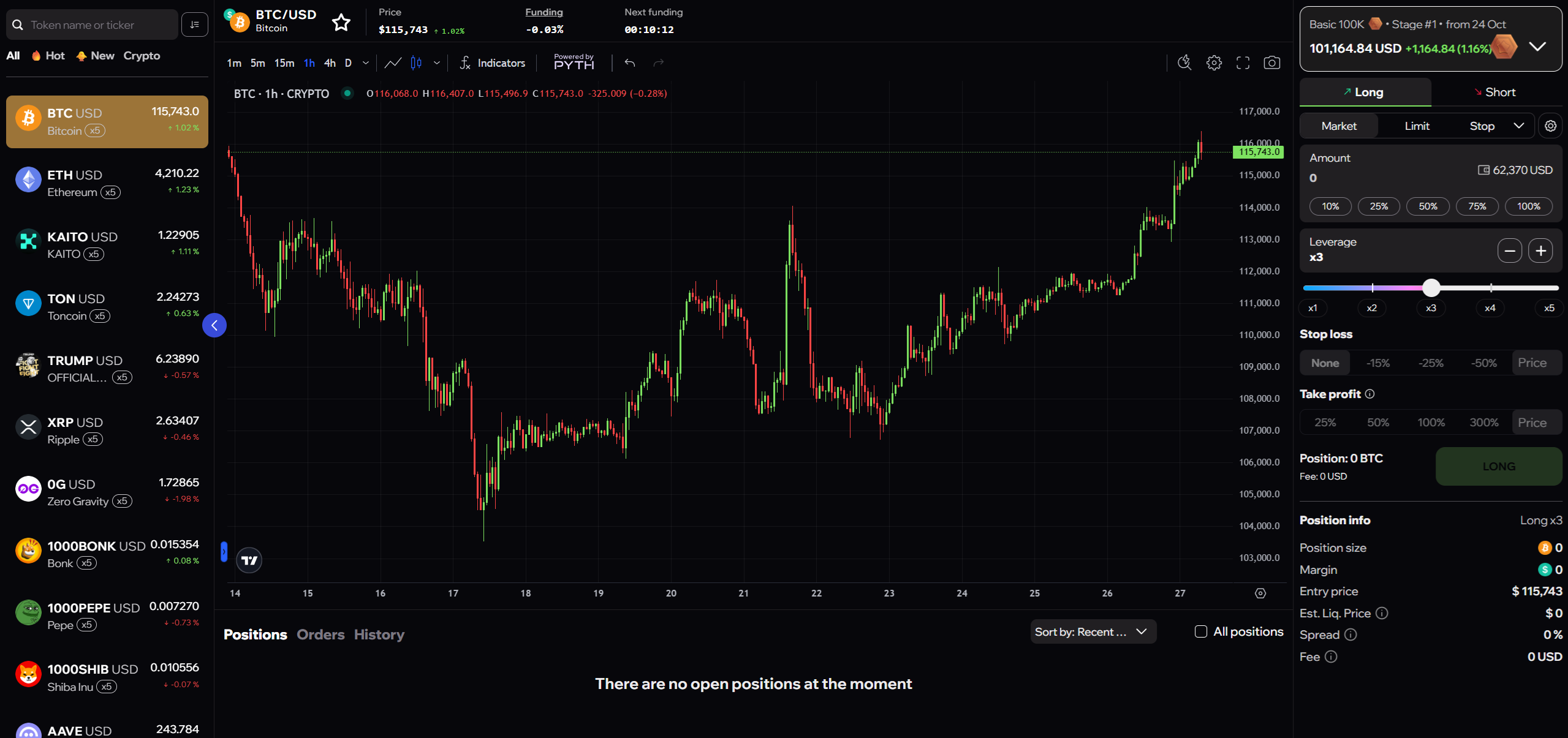
Available here:
- searching for instruments by name or ticker;
- selections of popular and recently added assets;
- current prices and percentage changes;
- the leverage available on each trading pair;
- sorting by favourites, name and top movers.
The full range of instruments across the Crypto, RWA and ALL categories is listed on the Trading Assets page.
Tournaments
Competitions between traders on both real and demo accounts.
Available here:
- joining active tournaments by chosen assets or strategies;
- your current position on the leaderboard and other participants' results;
- prizes, including paid-for Upscale challenges;
- the schedule of upcoming tournaments and notifications when new ones start.
Rules, stages and certificates are covered on the Tournaments page.
Referrals
The referral programme section: rewards for invited users and their activity in real time.
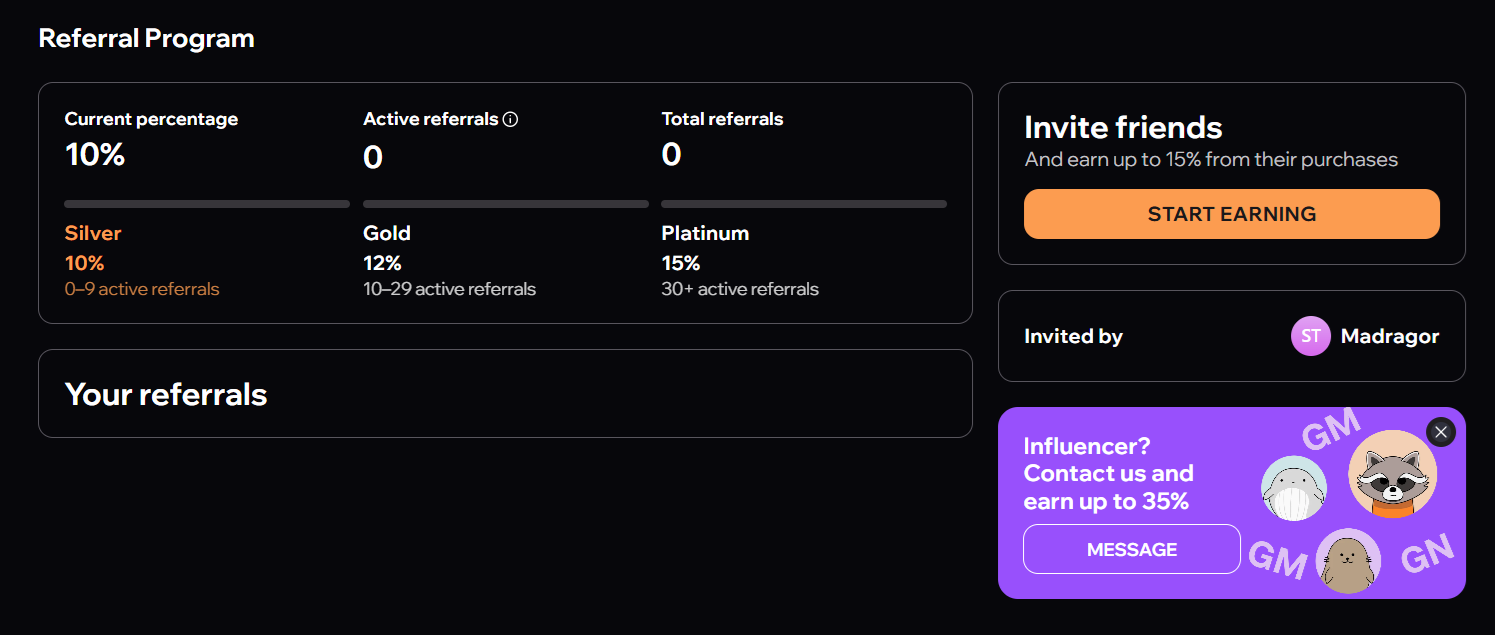
| Tier | Reward |
|---|---|
| Silver | 10% |
| Gold | 12% |
| Platinum | 15% |
Available here:
- your current reward tier and the number of active referrals;
- the conditions for moving between tiers;
- a personal link and promo code for invitations;
- the list of invited users and their activity.
The programme suits regular users and creators with an audience alike.