
A position is a bet on the direction an asset's price will move, held through a perpetual futures contract.
| Position type | What the trader expects | Where the profit comes from |
|---|---|---|
| Long | the price will rise | the difference between the exit and entry price |
| Short | the price will fall | the difference between the entry and exit price |
Leverage
Leverage lets you control a position larger than your own collateral, amplifying the effect of price movement on the account in both directions. At x5, a trader controls a position five times the collateral posted — and losses grow just as fast when the market moves against them. The higher the leverage, the closer the liquidation threshold.
Available leverage levels
| Asset category | Basic and Accelerated | Turbo |
|---|---|---|
| Cryptocurrencies | x5 | x2 |
| Forex | x100 | x30 |
| Gold and silver | x10 | x5 |
| WTI crude oil | x5 | x2 |
| Natural gas and copper | x10 | x3 |
| US indices: US500, NAS100, US30, US2000 | x15 | x5 |
| European and Asian indices: GER40, EU50, KR200, JP225 | x10 | x3 |
| 24/7 stocks | x5 | x2 |
Opening a position
Start by choosing a direction: Long if you expect the price to rise, Short if you expect it to fall. You then set the collateral and the leverage, and those two values determine the position notional.
Position notional = collateral × leverage
Position size = position notional ÷ entry price
- Collateral — the amount posted as security for the position.
- Position notional — the effective size of the position in USD, leverage included.
- Position size — the actual quantity of the underlying asset.
For example, at x5 leverage with $500 of collateral, a long on ETH at $2,000 gives a position notional of $2,500 and a position size of 1.25 ETH.
By default positions open with market orders: execution is near-instant, but the execution price can differ from the current market price. What this deviation is made of and how to cap it are covered in the Price deviation section. Other ways to enter are described on the Order Types page.
Entry by asset quantity
A position can be opened or increased by asset quantity rather than by collateral in USD — for example 0.1 BTC, 2 ETH, 100 SOL. An order placed by quantity is always filled for the full amount specified.
The mode is available for Market, Limit, Stop Market and Stop Limit orders. The order form switches between the two input modes — collateral in USD and asset quantity — and the terminal remembers the last one used.
Quantity input works when opening a new position and increasing an existing one. It does not apply to closing, partial closing, or Stop Loss and Take Profit orders.
Quantity can also be set as a percentage of the free balance: the system works it out from the collateral, the commission and the spread reserve, then rounds down according to the instrument's rules. That is why even a 100% selection creates an order without an insufficient-funds error.
How the reserve is calculated
When a quantity is specified, the system calculates the amount needed to create and fill the order: collateral at the chosen leverage, the commission for opening or increasing the position, and a reserve against a change in the spread. That amount is temporarily held from the free balance.
Reserves from several active orders are added together. Once an order fills, the unused part of its reserve returns to the balance; if the order is cancelled or never fills, the reserve is returned in full.
Returning a reserve has no effect on daily PnL, on the daily profit and loss counters, or on transitions between challenge phases.
| Value | What it means |
|---|---|
| Expected Execution Amount | the amount expected to be needed to fill the order right now. Market orders use the current market price, Limit and Stop Limit use the limit price, and Stop Market uses the stop price |
| Reserved Amount | the amount temporarily held from the free balance. It can exceed the Expected Execution Amount because it includes a buffer for the spread |
The minimum position size has to be worth at least $10 at the expected execution price.
Possible errors
| Error | Cause | What to do |
|---|---|---|
| Insufficient balance for the reserve | the free balance does not cover the order including its reserve | reduce the position size or raise the leverage |
| Insufficient reserve for execution | the spread widened noticeably before the fill and the reserve fell short | the order is cancelled automatically; create a new one |
| Quantity exceeds available liquidity | the quantity is too large for current market conditions | reduce the position size |
Position reversal
A reversal flips an open position in a single action: the position is closed in full, and a new one in the same instrument is opened straight away in the opposite direction. For example, a 0.1 BTC long becomes a 0.1 BTC short after a reversal.
| New position parameter | Value |
|---|---|
| Direction | opposite to the original |
| Size | equal to the size of the closed position |
| Leverage | the same as the original position at its last opening or increase |
| Execution | at market price |
| Stop Loss and Take Profit | not carried over — set them again if needed |
Size and leverage cannot be changed as part of a reversal.
By default a confirmation window appears before a reversal, showing the direction, size and leverage of the new position. Confirmation can be switched off in the terminal settings; in the mobile version it is always shown.
A reversal is unavailable while the trading pair is paused or in close-only mode — the modes are described on the Events Calendar page.
Trade markers on the chart
Every asset chart shows markers for completed operations — opening, increasing, closing and liquidating positions — so trade history is visible directly on the price chart.
A green circle with an upward arrow.
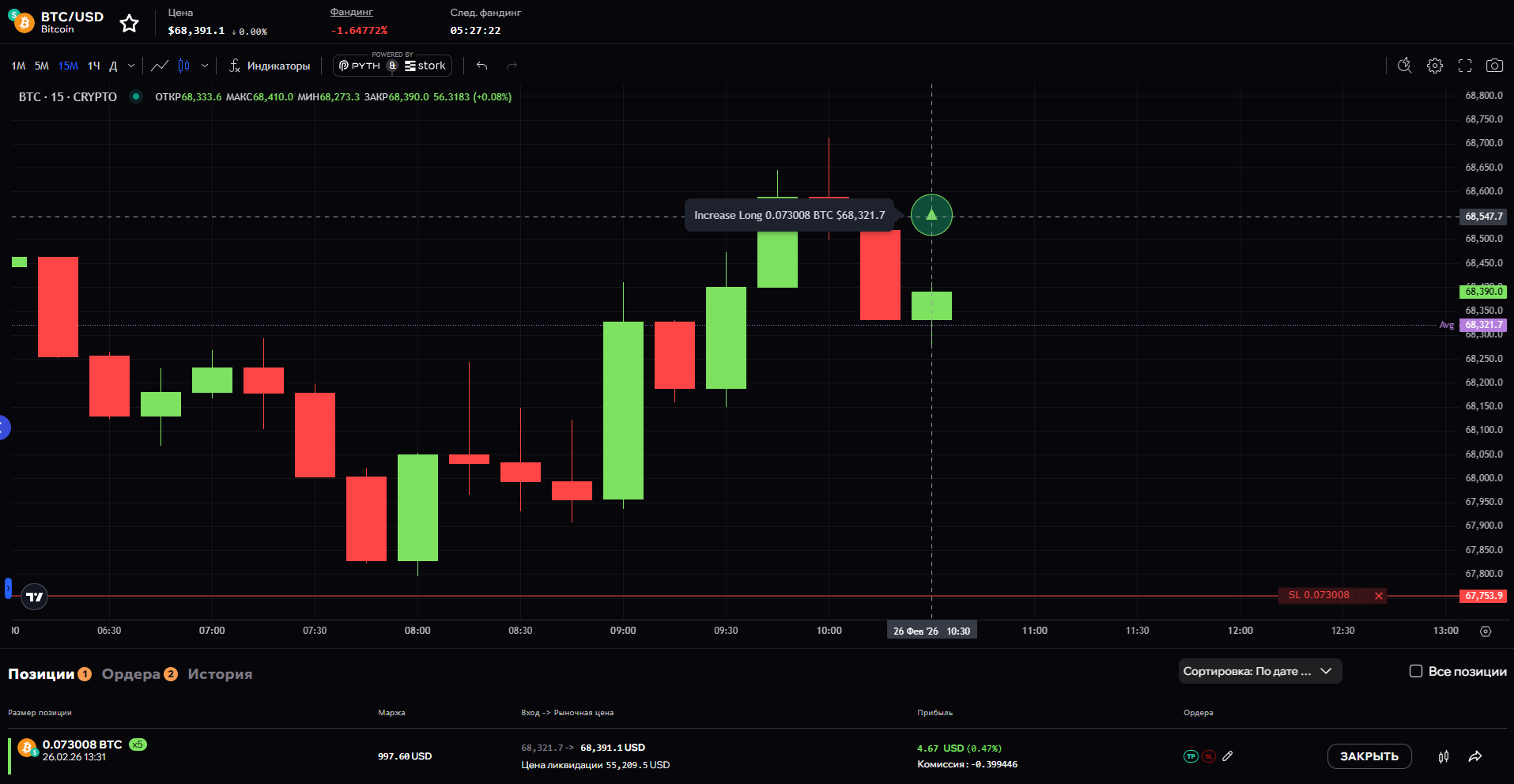
Shown for: Open Long, Increase Long, Close Short and Liquidation Short.
A red circle with a downward arrow.
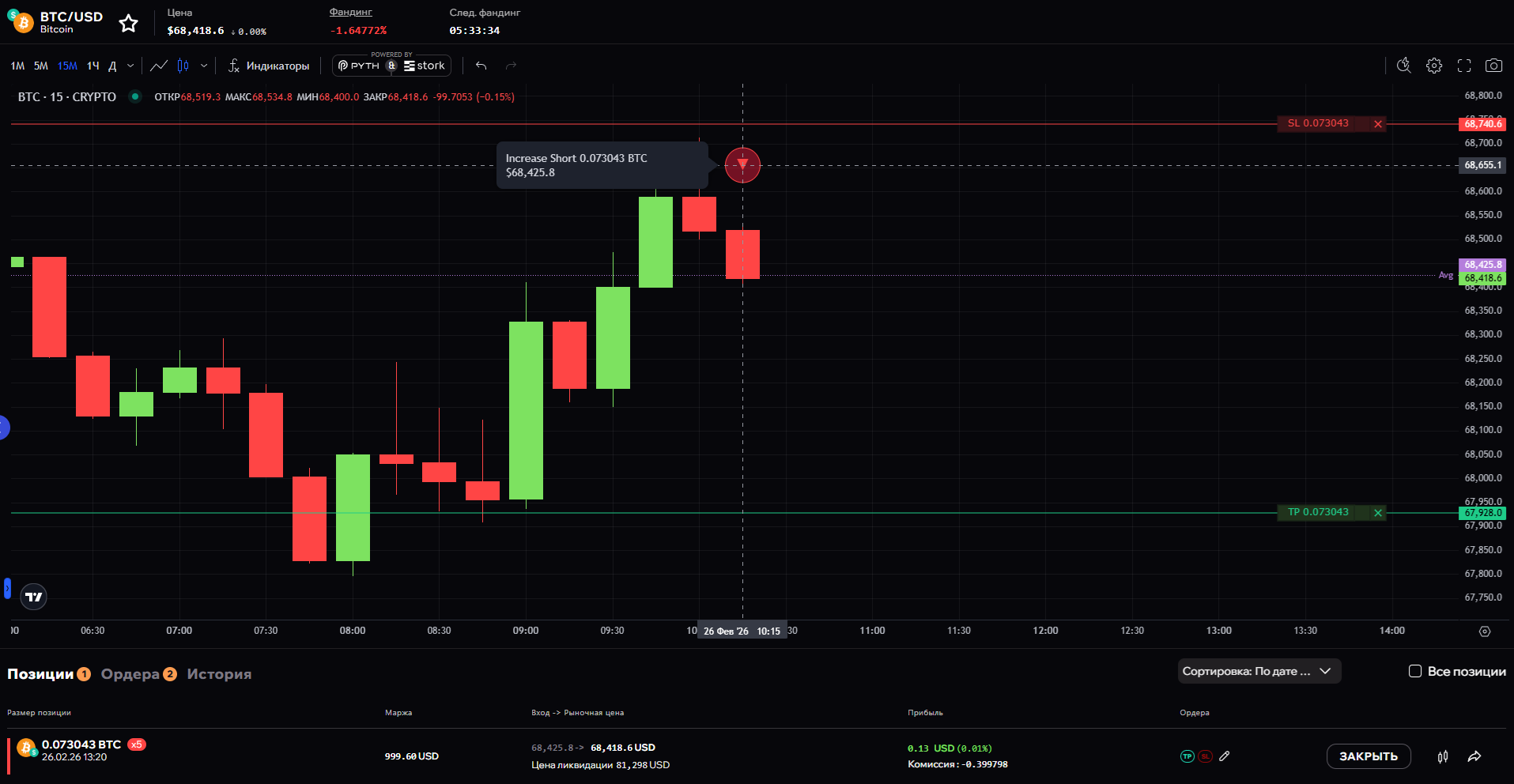
Shown for: Open Short, Increase Short, Close Long and Liquidation Long.
A marker sits on the candle during which the operation was executed. If several operations of the same type happened on one candle, each gets its own marker.
Hovering over a marker — tapping it on mobile — brings up a tooltip listing that candle's operations, newest first. Each line shows the type and direction of the operation, the filled quantity with the asset ticker, and the execution price:
Close Short     1,223.5 ADA    $0.234443
Increase Long   32,000 ADA     $0.22